
Printing Teacher Materials from Kiddom
At Kiddom, we understand how important it is for educators to be able to save and print instructional materials in order to enhance their unit and lesson planning.
What Can I Print?
The simple answer is: virtually everything!
Educators now have the ability to print a variety of materials, including:
- Complete Lesson Teacher Materials
- Assessment Answer Keys
- Course Overview
- Section Guides
- Adaptation Guides
- Family Support Materials
- Other web-based course materials
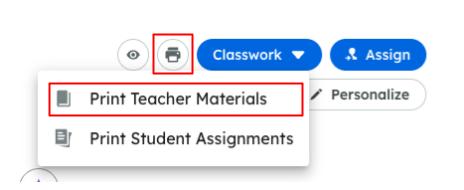
Use the print button at the top of any course material and select Print Teacher Materials to choose the content you want to print or download.
Similar to printing student materials, you can adjust the image sizes to fit them better onto pages.
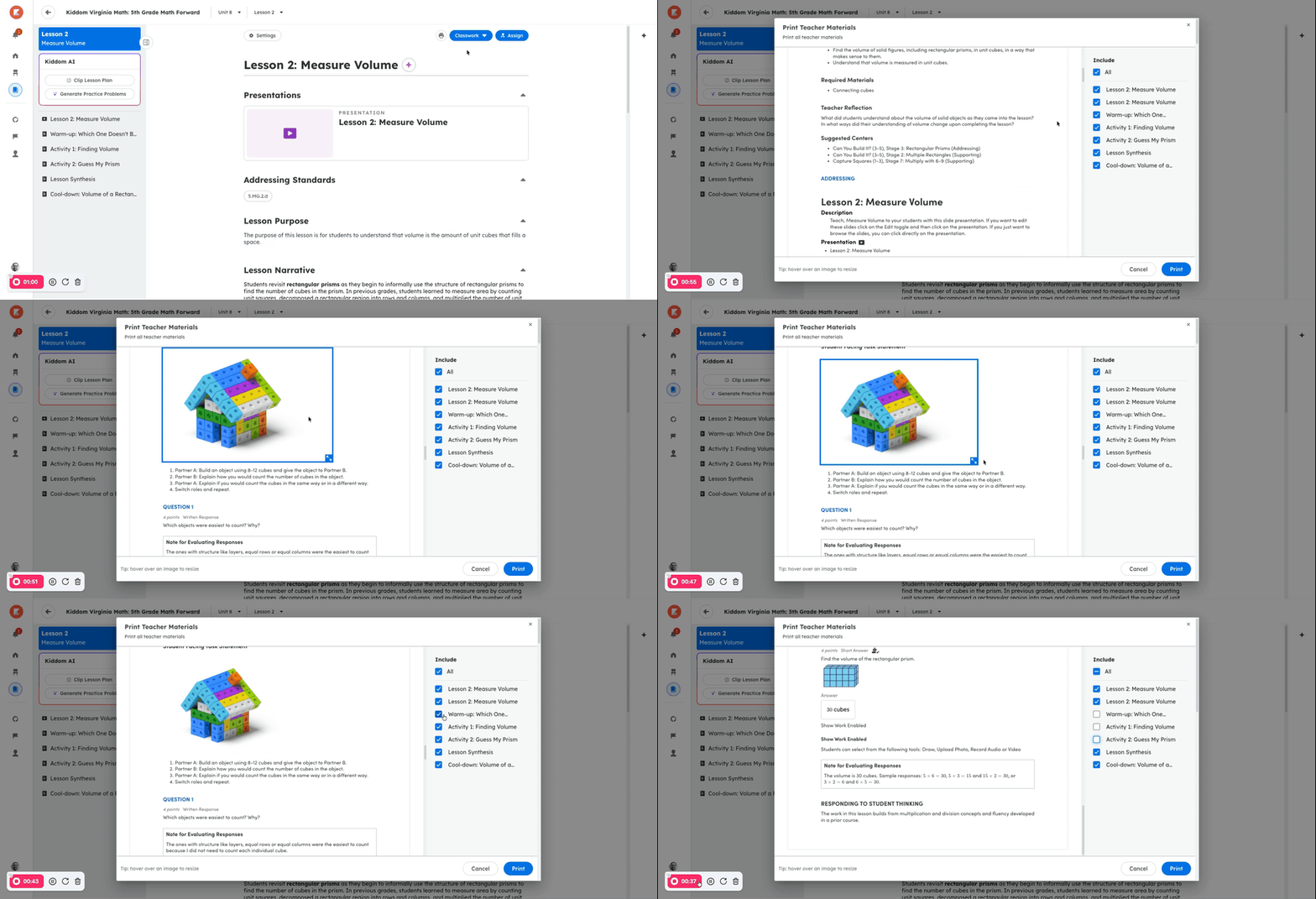
Once you've made the necessary adjustments, click the Print button to access your system's print menu. From there, you can choose a printer or choose to save the content as a PDF file to your device.
Can I Print or Save in Another Language?
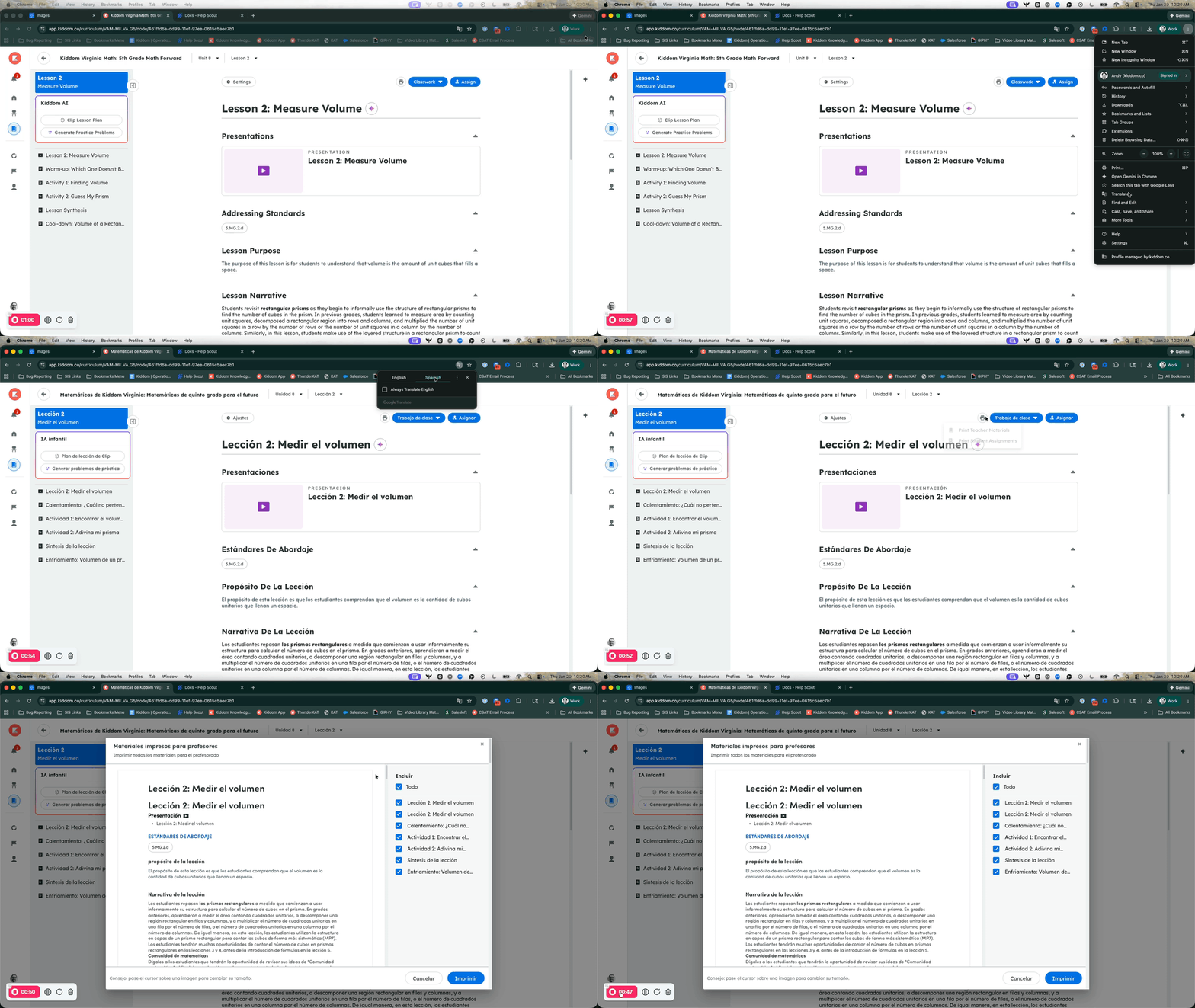
Absolutely! With the Google Translate browser function, you can translate any of the materials before printing or downloading them.
Non-Printable Content
Not all materials in Kiddom are optimized for printing. Materials that are not optimized for printing will display a prompt to access them using the Kiddom platform.